How to Use Axios in React: A Comprehensive Guide
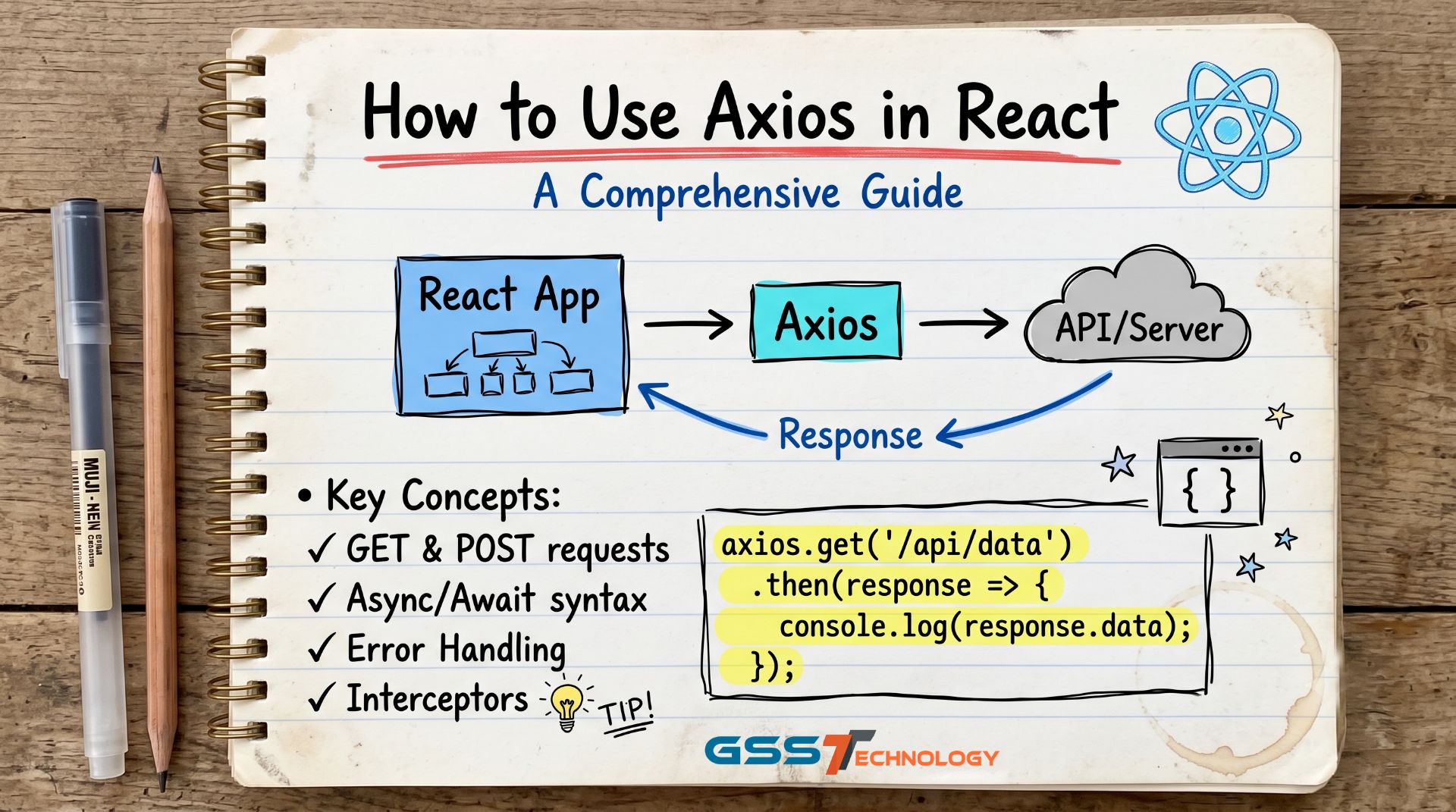
When working with APIs in React, Axios is a powerful library that simplifies HTTP requests. Its promise-based structure, ease of use, and compatibility with modern JavaScript make it an excellent choice for developers. In this blog post, we will explore how to use Axios in a React project, from setup to making various types of requests.
Why Choose Axios?
Axios offers several advantages:
- Promise-based: Simplifies handling asynchronous operations.
- Browser compatibility: Handles older browsers with automatic polyfills.
- Error handling: Provides clear and detailed error messages.
- Interceptors: Allows you to manipulate requests and responses.
- Cancel tokens: Enables request cancellation to prevent unnecessary API calls.
Getting Started with Axios in React
Step 1: Install Axios
To start using Axios, install it via npm or yarn:
npm install axios
# or
yarn add axios
Step 2: Import Axios
In your React component or a separate service file, import Axios:
import axios from 'axios';
Step 3: Basic GET Request
Here’s a simple example of fetching data using Axios in a React functional component:
import React, { useEffect, useState } from 'react';
import axios from 'axios';

const App = () => {
  const [data, setData] = useState([]);
  const [loading, setLoading] = useState(true);
  const [error, setError] = useState(null);

  useEffect(() => {
    const fetchData = async () => {
      try {
        const response = await axios.get('https://jsonplaceholder.typicode.com/posts');
setData(response.data);
      } catch (err) {
setError(err.message);
      } finally {
setLoading(false);
      }
    };

    fetchData();
  }, []);

  if (loading) return <p>Loading...</p>;
  if (error) return <p>Error: {error}</p>;

  return (
    <div>
<h1>Posts</h1>
      <ul>
        {data.map(post => (
          <li key={post.id}>{post.title}</li>
        ))}
      </ul>
    </div>
  );
};

export default App;
Step 4: POST Request
To send data to a server, use a POST request:
const handleSubmit = async () => {
  try {
    const response = await axios.post('https://jsonplaceholder.typicode.com/posts', {
      title: 'New Post',
      body: 'This is the body of the post.',
      userId: 1
    });
console.log(response.data);
  } catch (err) {
console.error('Error creating post:', err);
  }
};
Step 5: PUT and DELETE Requests
For updating and deleting resources, use PUT and DELETE methods:
// PUT Request
const updatePost = async (id) => {
  try {
    const response = await axios.put(`https://jsonplaceholder.typicode.com/posts/${id}`, {
      title: 'Updated Post Title',
    });
console.log(response.data);
  } catch (err) {
console.error('Error updating post:', err);
  }
};

// DELETE Request
const deletePost = async (id) => {
  try {
    await axios.delete(`https://jsonplaceholder.typicode.com/posts/${id}`);
    console.log(`Post with id ${id} deleted.`);
  } catch (err) {
console.error('Error deleting post:', err);
  }
};
Advanced Usage Axios Interceptors
Interceptors can modify requests or responses before they are handled by .then or .catch:
axios.interceptors.request.use(
  config => {
config.headers.Authorization = `Bearer YOUR_TOKEN`;
    return config;
  },
  error => Promise.reject(error)
);

axios.interceptors.response.use(
  response => response,
  error => {
console.error('Interceptor error:', error);
    return Promise.reject(error);
  }
);
Canceling Requests
To cancel a request, use CancelToken:
import axios from 'axios';

const source = axios.CancelToken.source();

const fetchData = async () => {
  try {
    const response = await axios.get('https://jsonplaceholder.typicode.com/posts', {
      cancelToken: source.token
    });
console.log(response.data);
  } catch (err) {
    if (axios.isCancel(err)) {
console.log('Request canceled:', err.message);
    } else {
console.error('Error:', err);
    }
  }
};
// Cancel the request
source.cancel('Request canceled by the user.');
Conclusion
Axios is a versatile and user-friendly library for making HTTP requests in React. Its features like interceptors, error handling, and cancel tokens can help streamline your application's data-fetching logic. With the examples provided, you can easily integrate Axios into your React projects and handle API interactions with ease.