Hi, everyone my name is Sharafat Hussain and i have 10 year experience in web development , I have developed lot of web application with diffirent languages, today I am shaing my experience in JavaScript Async/Await functions which developer use and get the best performance while calling api's.
What is Async/Await in JavaScript?
In JavaScript Async and Await are two keywords which use in function, the Async and Await keywords are use in many types of functions let get data, post data, put and much more. For more these keywords work with asynchronous operations like (Api calls, database request or file reading) in clear and more readable way than using .then() function.
Async Function:
The async function always return promise. JavaScript developers struggled to manage this flow using confusing callbacks and complex promise chains. Enter the JavaScript async await function—a game-changing feature that allows you to write asynchronous code that looks and behaves like synchronous.
Syntax:
async function myFunction() {
    return "Hello! This is async function";
}

myFunction().then(result => {
console.log(result);
});
Output:
Hello! This is async function
Await:
The await keyword is use to execution of an async function until promise action resolve or reject.
Practical Examples of Async/Await:
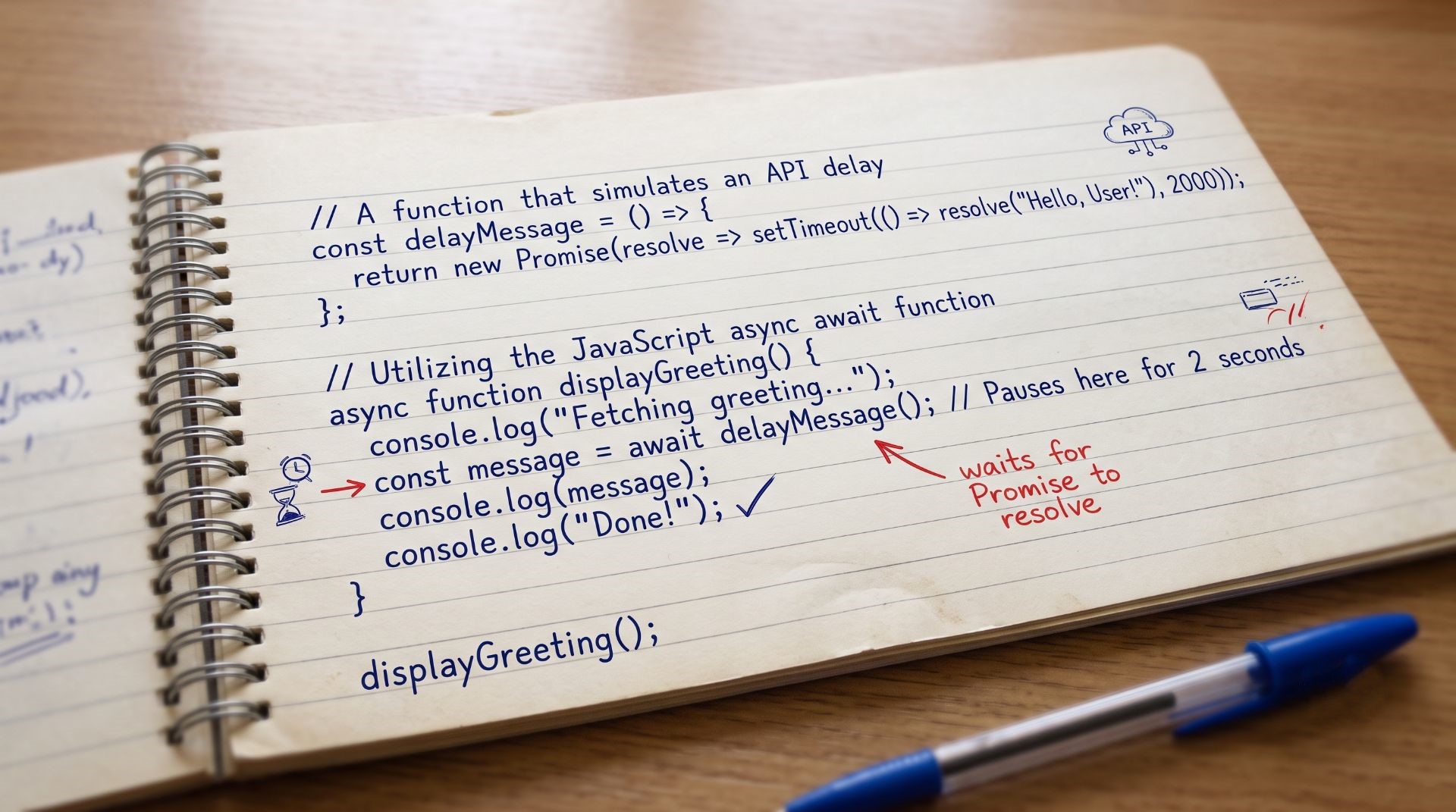
Let's begin with a simple scenario where data takes a little time to load, similar to fetching a username from a slow database.
// A function that simulates an API delay
const delayMessage = () => {
    return new Promise(resolve => setTimeout(() => resolve("Hello, User!"), 2000));
};

// Utilizing the JavaScript async await function
async function displayGreeting() {
console.log("Fetching greeting...");
    const message = await delayMessage(); // Pauses here for 2 seconds
console.log(message);
console.log("Done!");
}

displayGreeting();
why this matters: Notice the try …catch block. When using a JavaScript Async function or any other function send request to server and this block is use for error handling, if any error accrue during code execution this block will show the catch the error. No more trailing .catch() blocks.
Example 3: Running Multiple Requests Concurrently
Sometimes, waiting for one task to finish before starting the next slows down your application. If you need to fetch a user profile and a product list at the same time, you can combine async/await with Promise.all.
async function fetchDashboardData() {
    const userPromise = fetch('https://api.github.com/users/github');
    const statusPromise = fetch('https://api.github.com/zen');

    // Wait for both network requests to complete simultaneously
    const [userResponse, statusResponse] = await Promise.all([userPromise, statusPromise]);

    const userData = await userResponse.json();
    const zenMessage = await statusResponse.text();

    console.log(`User: ${userData.name} | Wisdom: ${zenMessage}`);
}

fetchDashboardData();
by using example you can use async/await together with promise.all() to run the multiple asynchronous operation at the once, for making your application faster and more efficient.
Conslusion:
In conclusion, async/await provides a clean and readable way to handle asynchronous operations in JavaScript. It makes code easier to understand compared to chained .then() methods while maintaining the power of Promises. When multiple independent tasks need to run simultaneously, Promise.all() is an excellent choice because it executes all promises in parallel and waits until they are all complete, improving performance and reducing overall execution time. By combining async, await, and Promise.all(), developers can write efficient, maintainable, and scalable applications that handle API requests, database operations, and other asynchronous tasks with greater clarity, reliability, and speed.